MultiCraft — Build and Mine!
- 4.3
- Rating
- 50.00M
- Installs
- Free
- Price
 Analysis by App-foxy
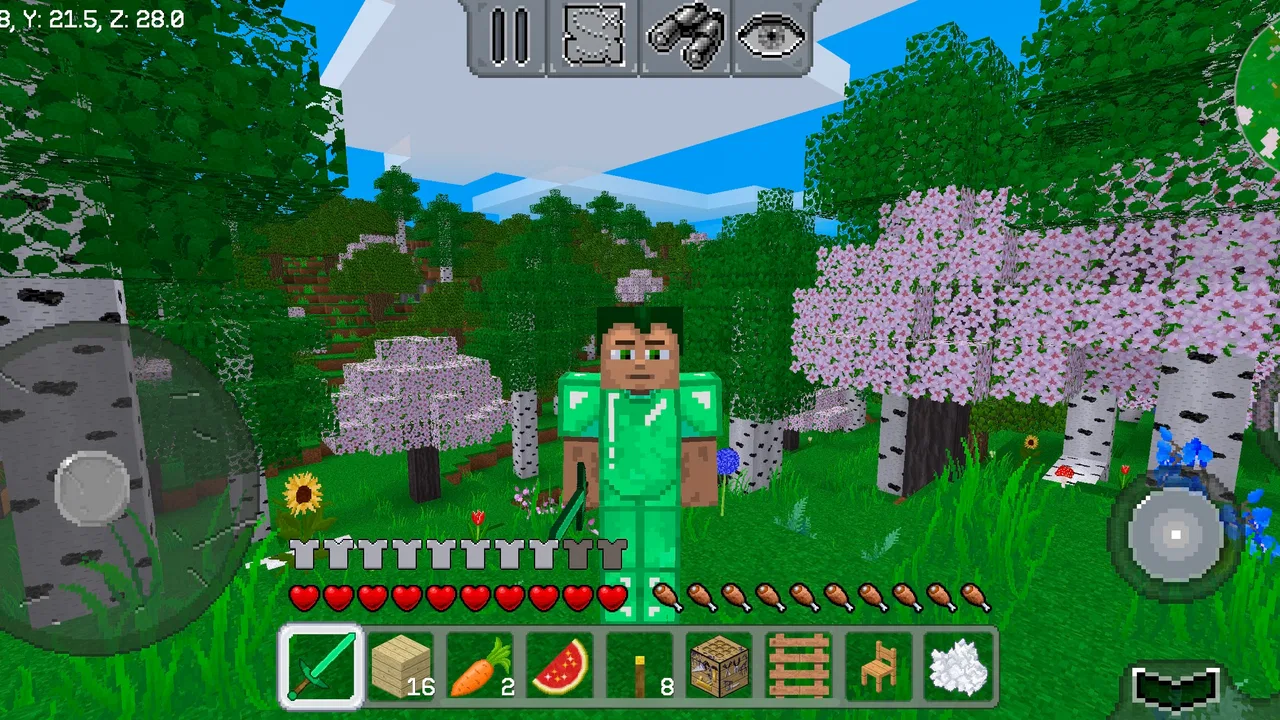
I approached MultiCraft — Build and Mine! as the kind of game that needs to do more than create a good first impression. A block-building adventure can be exciting for an evening, but the real test is whether I still want to open it after the novelty of placing the first blocks has faded. In my experience, this game makes a convincing start because it gives creative players a simple space to explore and shape without asking them to learn a complicated control system first.
That accessibility is central to its appeal. Developed by MultiCraft, this free adventure game is aimed at Everyone, so it is easy to understand why it has attracted a broad audience. It has passed 50 million installs and holds a 4.3 average from around 376 thousand ratings, which suggests that the basic idea connects with many players. Those figures do not replace personal experience, though. For me, the important question is whether the freedom remains enjoyable once I have already built a shelter, explored nearby terrain, and learned the rhythm of collecting and creating.
From an inviting first week to a more demanding routine
I find the first few sessions inviting because simple, self-chosen projects make it easy to settle into the game. The more useful question comes later: whether I can shape that freedom into a routine without turning play into chores. I’ll look at how personal goals, spending choices, and the game’s open-ended pace affect that shift.
You May Also Like

 AccuWeather: Weather Radar
AccuWeather Review: A Quick, Clear Forecast for Everyday Decisions
For everyday plans, the best forecast is the one you can understand quickly. AccuWeather makes rain timing, radar, and local conditions easy to act on, with a few trade-offs.

 Hill Climb Racing
Why Hill Climb Racing Still Turns Crashes Into One More Run
A tiny car, a bumpy hill and one more upgrade: Hill Climb Racing keeps resurfacing because its simple chaos makes every near-miss feel personal.

 AliExpress - Shopping App
AliExpress Makes Global Shopping Feel Personal, but Shoppers Bear the Risk
AliExpress turns a global marketplace into a pocket-sized discovery engine. Its reach is useful, its shopping loop compelling, and its trade-offs easy to miss.

 Lords Mobile: Kingdom Wars
Lords Mobile Is a Kingdom-Building Routine, Not a Quick Match
A case-by-case verdict on the building, battles, device demands, and social commitments that make Lords Mobile rewarding for some players and exhausting for others.

 PDF Scanner app - TapScanner
TapScanner Makes Paperwork Easier to Capture, Check, and Share
TapScanner makes scanning with a phone feel less like a rescue operation and more like a dependable step in getting work done. Its capture tools are useful, though not flawless.

 Block Blast!
 Shows How Much a Puzzle Game Can Leave Out
A quiet grid game shows why puzzle players increasingly value instant clarity, repeatable skill and low-pressure play—and where the genre still needs to catch up.
More From Our News Desk
View All News


Why the opening sessions work so well
The first sessions are satisfying because they give me an immediate sense of purpose without forcing a long tutorial or a fixed storyline. I can begin by looking around, gathering what seems useful, and turning an empty area into something that feels like my own. That transition from untouched surroundings to a personal base is the strongest early reward. Even a modest construction can feel worthwhile because I made the decisions myself.
I also like that the game suits different moods. If I want a quiet creative session, I can concentrate on shaping a building or improving an existing area. If I feel more adventurous, I can move away from familiar ground and see what the world offers. This flexibility is more important than it sounds on a phone, where I may only have a short period to play. I do not always need to complete a mission before I can stop; a small building improvement can be a complete session.
The touch controls are approachable, but they still require a little adjustment. On a smaller screen, looking around, moving, and selecting the right action can feel less precise than using a keyboard and mouse. I found that slower movement helps when I am trying to place blocks neatly. Rushing tends to produce accidental actions or awkward construction, especially when I am working close to an edge or inside a narrow space.
That minor friction does not ruin the experience, but it affects the kind of builder I become. I am more comfortable making broad structures than attempting extremely delicate designs. Players who enjoy careful, symmetrical work may need patience, while those who prefer experimentation will probably adapt quickly. The game is at its best when I treat the controls as part of the mobile format rather than expecting desktop-level precision.
The first meaningful use case: a short, repeatable creative break
A realistic everyday scenario is a short evening break after work or school. I can open the game with a simple plan, such as expanding a shelter, organizing a nearby area, or exploring until I find a useful location. Because the activity is open-ended, I am not punished for stopping after twenty minutes. I can leave with a visible improvement and return later with a fresh idea.
This makes it more flexible than many adventure games built around long missions. A story-driven alternative may offer stronger characters and more dramatic objectives, but it often expects me to remember where I was and what I was supposed to do. Here, my own construction provides the continuity. I remember what needs attention because I created the project in the first place.
There is a trade-off, however. The same freedom that makes a short session comfortable can make the game feel directionless. If I do not set a personal goal, I may wander, collect materials without a plan, and close the app without feeling that I accomplished much. I recommend choosing one concrete task before starting. “Improve the entrance” or “find a better place for the next building” works better than simply deciding to play.
How the adventure compares with familiar alternatives
MultiCraft sits in the broad space between a relaxed building sandbox and a more exploratory adventure. Compared with a conventional survival game, it feels less dependent on a tightly scripted sequence of objectives. Compared with a purely creative construction tool, it gives exploration more importance, so the world itself becomes part of the activity rather than just a blank canvas.
That middle position will suit players who want freedom but still enjoy the feeling of discovering what comes next. It is less suitable for someone seeking a strongly written campaign, carefully staged boss encounters, or a competitive multiplayer focus. I would also hesitate to recommend it to a player who wants instant, polished building with no resource-related preparation. The appeal comes from the gradual process, not from receiving every construction option immediately.
What changes after the first week
During the first week, curiosity does much of the work. Every new area feels worth checking, and each construction idea seems fresh. I can spend time learning how I want to organize my surroundings, deciding whether I prefer practical structures or decorative ones. This is the period when the game feels most generous because even small discoveries add to the sense of possibility.
After that, the game asks me to provide more of the motivation myself. The initial excitement of gathering and building becomes familiar, and the quality of my personal goals starts to matter. A player who enjoys setting projects, revisiting old builds, and gradually improving a space can keep finding reasons to return. A player who depends on constant surprises may notice the repetition sooner.
One useful habit is to keep a mental or written list of unfinished ideas. I might choose a main project, a small improvement, and one exploration goal. This prevents the open world from becoming an unstructured loop. It also gives each session a different emphasis, which helps preserve the feeling that I am progressing rather than performing the same routine.
Month-to-month value depends on self-directed projects
The long-term value is not mainly about how quickly I can build. It comes from whether I can turn the world into a continuing project. A single large construction can hold my attention for a while, but a collection of connected goals is more durable. I may start with a basic home, then improve the surrounding paths, create a separate work area, and reshape the landscape so the whole location feels intentional.
This approach gives the game a maintenance rhythm. I return not because the app is demanding my attention, but because I have left something unfinished. That distinction matters. It makes the experience more relaxed than games that rely on daily pressure, yet it also means the game cannot create all of the long-term structure for me.
I found that themed projects help. Building a compact settlement, planning a practical base, or creating a visually consistent area gives me a standard against which to judge new work. Without a theme, I tend to place individual structures that do not relate to one another. The result can still be entertaining, but it is less satisfying to revisit.
Another useful technique is to improve rather than constantly restart. Starting over can be tempting when the first base looks untidy, but rebuilding from nothing removes the history that makes a world feel personal. I get more lasting value by treating awkward early work as a foundation and finding ways to connect it to a better design.
The cost of keeping a world enjoyable
The maintenance burden is moderate, but it is real. I need to remember where I stored useful materials, which areas I have already explored, and what I intended to build next. That organization can be enjoyable for players who like planning, but it may feel like work to someone who wants a purely spontaneous game.
Because the game is free, the main financial detail to keep in mind is that in-app purchases range from $0.99 to $19.99 per item. I would approach those purchases carefully and decide first whether they genuinely improve my way of playing. The free entry point makes it easy to try, but long-term satisfaction should come from the building and exploration loop rather than from feeling pushed to buy something.
For younger players, the Everyone rating makes the game broadly approachable, but I would still encourage families to discuss spending before handing over a device. The most useful boundary is simple: decide whether purchases are allowed before playing, rather than making that decision in the middle of an exciting session.
The current version is 2.0.16, and the minimum operating system is Android 6.0. That makes the game accessible to a wide range of Android devices, although an older phone may still make touch controls or larger worlds feel less comfortable than a newer model. I would give the game a little time on the actual device before committing to a long-term building project.
Where fatigue begins to appear
The biggest source of fatigue is repetition without a clear personal objective. Gathering, moving, placing, and returning can be relaxing for a while, but the loop loses energy if every session has the same shape. I notice this most when I open the game out of habit rather than because I have an idea. In those moments, the freedom feels less like possibility and more like a lack of direction.
Another issue is the difference between imagination and execution. I may picture an elaborate structure, then discover that mobile controls make precise placement slower than expected. That gap can be discouraging. My solution is to break ambitious designs into sections and accept that the finished result may be more practical than the original mental image.
Exploration can also become less exciting once I have learned the general rhythm of the world. The first trips away from a base carry a strong sense of uncertainty; later trips may feel more like errands. I get more from these journeys when I attach a purpose to them, such as finding a suitable location for a new project or collecting materials for a specific improvement.
Players who need a strong narrative may feel the limitations sooner than creative sandbox fans. The game does not replace a story adventure with characters, dialogue, and carefully timed revelations. Its storytelling comes from the places I build and the route I take through the world. That can be personal and rewarding, but it is not the same kind of engagement.
Who should make room for it, and who should skip it
I would recommend this game to someone who enjoys making their own objectives, likes seeing gradual visual progress, and wants an adventure that can fit around everyday life. It is especially appealing if you enjoy returning to an old project and asking how it could be improved. The free price also makes it a low-risk way to test whether this style of play suits you.
I would skip it if I wanted a focused campaign, competitive action, or a game that constantly tells me exactly what to do next. I would also choose a different option if highly precise construction is my main priority and I dislike adapting to touch controls. A dedicated building tool may be more comfortable for that purpose, while a story-led adventure may offer stronger momentum for players who prefer guided progress.
Families and casual players should find the basic concept easy to understand, but the open structure means younger users may benefit from a simple goal at the beginning. Asking them to build a small home or design a particular area gives the session direction without taking away the creative freedom.
My practical routine for getting more from it
When I want the game to remain enjoyable over several weeks, I use a three-part routine. I begin with a small task that can be completed in one sitting, continue with a larger project that may take several sessions, and finish by noting what I want to do next. This avoids the empty feeling that can come from stopping without a clear return point.
I also try not to expand too quickly. A compact, organized base is easier to understand and improve than a scattered collection of unfinished structures. Building outward only when I have a reason keeps exploration connected to construction. It also makes old areas feel relevant instead of leaving them behind as soon as a new location looks interesting.
Finally, I treat rest as part of the routine. If I play every day without a project in mind, the game becomes background activity and loses its charm. Taking a break and returning with a specific idea usually works better than forcing a session. Its lasting strength comes from personal projects, not endless novelty.
Final judgement after the novelty fades
MultiCraft — Build and Mine! earns lasting space on my device when I use it as a personal creative workshop with an adventurous edge. Its strongest qualities are the approachable entry, the freedom to choose my own direction, and the satisfaction of seeing an empty area become a place with character. The free format makes trying it easy, while the broad Everyone rating keeps the concept accessible.
It is not a perfect fit for every kind of player. The open design can feel aimless, touch controls may frustrate builders who demand precision, and repeated gathering can become tiring without a plan. In-app purchases also deserve deliberate handling rather than impulse decisions. Those are meaningful limitations, but they do not cancel out the core appeal.
My verdict is positive with one condition: I would recommend it to a friend who enjoys setting personal goals and returning to a world gradually, not to someone looking for a complete adventure campaign. If I give each session a purpose and allow projects to develop over time, the game continues to offer a calm, flexible reason to play. If I expect it to entertain me through constant surprises alone, the appeal fades much sooner.
For that reason, I see it as a dependable occasional game rather than something that must occupy every day. It works well for short creative breaks, longer building sessions, and relaxed exploration, provided I am willing to supply the direction. That balance is what lets it move beyond a quick first impression and remain useful after the initial excitement has passed.
FAQs for MultiCraft — Build and Mine!
01What is MultiCraft — Build and Mine! and how does it work?
MultiCraft — Build and Mine! is a sandbox game where players can explore vast worlds, gather resources, and build structures. It allows creativity in both single-player and multiplayer modes. Players can mine various materials and use them to craft tools, buildings, and more, providing endless possibilities for creativity and exploration.
02Is MultiCraft — Build and Mine! free to play?
Yes, MultiCraft — Build and Mine! is free to download and play. However, it may contain optional in-app purchases that provide additional features or resources. These purchases can enhance gameplay, but they are not necessary to enjoy the full experience of the game.
03What are the system requirements for MultiCraft — Build and Mine!?
MultiCraft — Build and Mine! is compatible with most modern Android and iOS devices. It requires Android version 4.1 or higher, or iOS 9.0 or later. Ensure your device has enough storage space and that all software updates are installed to optimize performance.
04Can I play MultiCraft — Build and Mine! with friends?
Yes, MultiCraft — Build and Mine! supports multiplayer mode, allowing you to play with friends. You can join or create worlds together, collaborate on building projects, or explore different environments. Make sure you have a stable internet connection for the best multiplayer experience.
05Are there any safety concerns for kids playing MultiCraft — Build and Mine!?
MultiCraft — Build and Mine! is generally safe for children, but parental guidance is recommended, especially in multiplayer mode where interactions with other players occur. Parents should monitor in-app purchases and ensure kids understand online safety practices to prevent any unwanted interactions or expenses.
Pros
- Intuitive controls make gameplay easy to learn.
- Wide range of building materials available.
- Engaging multiplayer mode enhances social play.
- Frequent updates add new features regularly.
- Creative mode fosters imagination and creativity.
Cons
- Graphics are less detailed compared to competitors.
- Occasional lag in multiplayer sessions.
- Limited customization options for avatars.
- Ads can be intrusive during gameplay.
- Some in-app purchases are quite expensive.

MultiCraft — Build and Mine!
Gallery